New: Delegates and a Don't Publish option
Our latest ScholarConnect release focuses on giving you more control over your profile: who can help you maintain it, whether it appears publicly at all, and how easily colleagues can find it. Here's what's new.
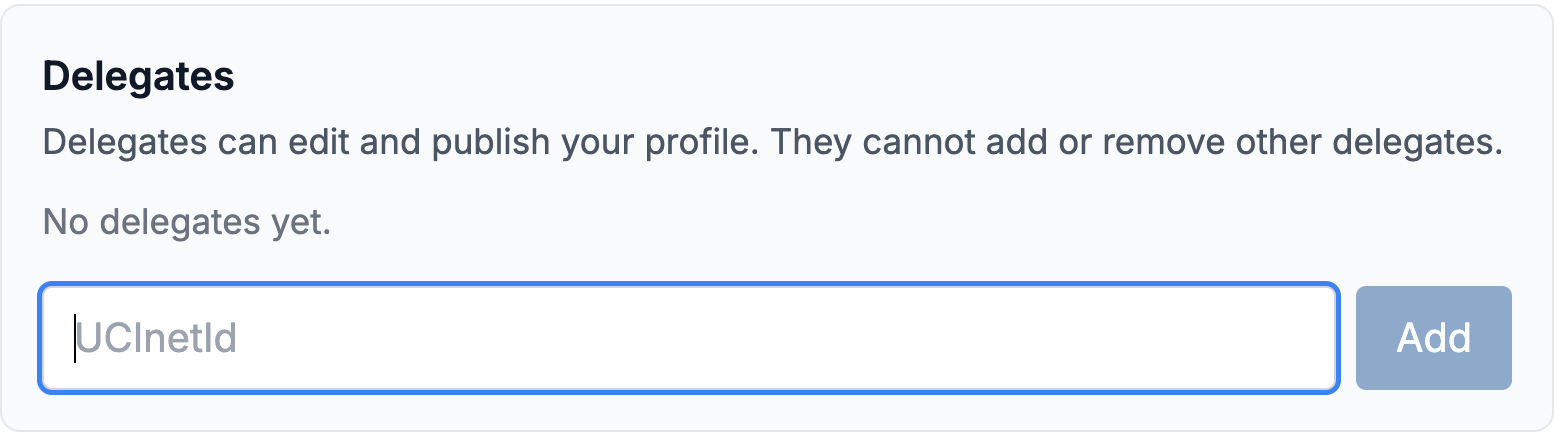
Name a Delegate to Manage Your Profile – Many faculty rely on an assistant or department staff member to keep their professional information current, and ScholarConnect now supports that directly. From your dashboard, under Profile Settings, enter a colleague's UCInetId in the Delegates section to give them access. Your delegate will see your profile under Profiles You Manage on their own dashboard, where they can review, edit, and publish it on your behalf. If you don't have a profile yet, a delegate can even upload your CV to get one started.
A "Don't Publish" Option – When your profile is ready for review, you'll now see a Don't Publish button alongside Publish. Choosing it keeps your profile private so it never appears publicly, and it also stops the reminder emails asking you to complete your review. This is the right choice if you'd rather not have a ScholarConnect profile right now, or if you want to set it aside without being nudged about it.
All Your Titles, in Your Order – Faculty with multiple appointments will see every title displayed on their profile, not just one. When editing, drag your titles into the order you prefer.
Search That Forgives Typos – Finding a colleague no longer depends on spelling their name exactly. Our search recognizes close matches, so a small typo or an unfamiliar spelling still surfaces the right person, making it easier for collaborators to find you.
These updates continue our work to reduce the effort of maintaining your professional presence while giving you full say over how, and whether, it appears. Visit your dashboard to add a delegate or adjust your settings. As always, we welcome your feedback at scholarconnect@uci.edu.